
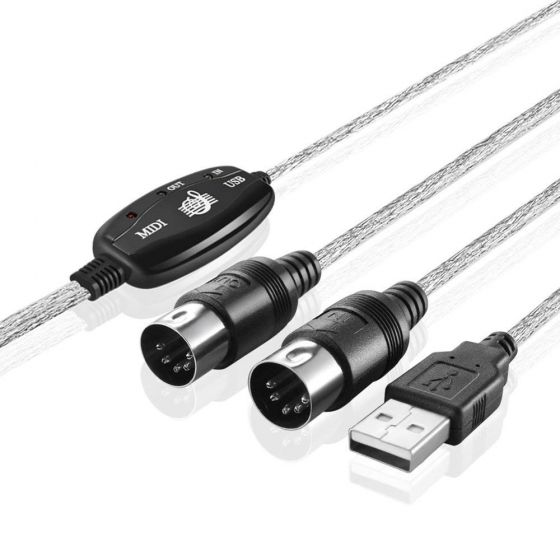
USB Interface to MIDI Cable
$10.00
Out of stock
SKU
Z199
Feature:
- Type: USB Midi Cable
- Material: Plastic, metal
- Color: Black
- Cable length: 2M
- Connector 1: USB 2.0 Type A
- Connector 2: MIDI 5-pin DIN- IN
- Connector 3: MIDI 5-pin DIN- OUT
- Supports Up To 16 channels
Lowest Price Guarantee
We Won't Beat On Price
Guarantee
30 Day Money Back
Local Pick Up Available
Pay By Cash Option
Online Support
We Have Support 24/7
Description:
- Easy to turn your PC into a music studio, connecting an electronic musical instrument to your computer with the supplied USB MIDI cable.
- Simply connect the USB cable into your computer, and your MIDI interface connection is completed.
- Latest model with a built-in driver, USB BUS powered.
- 16 MIDI input channels and 16 MIDI output channels.
- LED's indicate power in, MIDI in signal and MIDI out signal.
Supports Windows XP/Vista/7, Mac OS X.
Features:
- Type: USB Midi Cable
- Material: Plastic, metal
- Color: Black
- Cable length: 2M
- Connector 1: USB 2.0 Type A
- Connector 2: MIDI 5-pin DIN- IN
- Connector 3: MIDI 5-pin DIN- OUT
- Supports Up To 16 channels
Package Includes:
- 1 x 2M Keyboard to PC USB MIDI Cable
How To Use:
- Connect the cable marked "IN" to the MIDI "OUT" socket of a MIDI keyboard (or MIDI device)
Connect the cable marked "OUT" to the MIDI "IN" socket of a MIDI 2 - keyboard (of MIDI device)
Plug the USB cable into any free USB socket on your computer, the red LED will light to show power on - Open your music software program, e.g. Cubase, Sonar, MIDI Connections, ect
- Set the music programs MIDI in and MIDI Out devices to "USB Audio Device"
- Your USB to MIDI interface is now ready for use
To save potential problems, it is recommended that this interface is always connected to the same USB as it was originally installed on to prevent multiple installations of the driver
Write Your Own Review